

How to Download TikTok Stories Before They Expire
How to Download TikTok Stories
Learning How to Download TikTok Stories can help you keep a copy of videos or photos you want to watch later. TikTok Stories are designed to disappear after a limited period, so you may want to save an interesting Story before it is no longer available.
TikTok provides different saving options depending on the content and account settings. If the normal download option is unavailable, you can also use a third-party TikTok downloader by copying the Story link when the content is accessible.
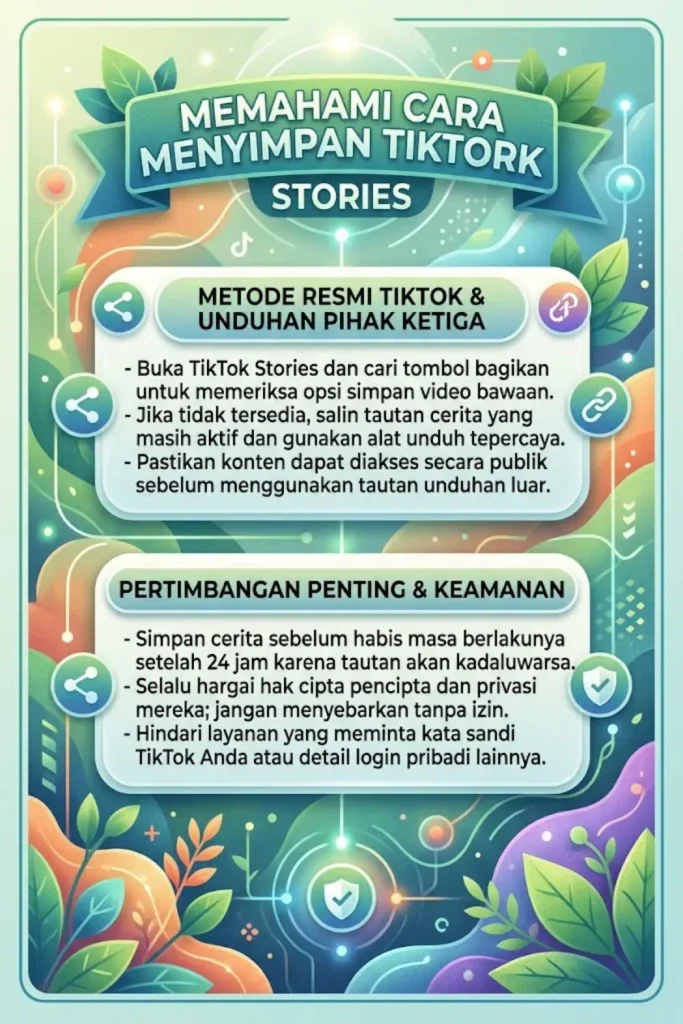
The easiest method is to check whether TikTok provides a download or save option for the Story. The available options can depend on the creator’s settings and the type of content.
Steps to Save a TikTok Story
- Open the TikTok app
- Find the Story you want
- Tap the Share button
- Check the available options
- Select Save Video if available
- Wait for the download to finish
- Open your phone gallery
- Check the saved file
If the Save Video option is not available, TikTok may not allow direct downloading for that Story.
How to Download TikTok Stories Without the Save Option?
Some TikTok Stories may not show a direct download button. In this situation, you can use a third-party downloader that supports TikTok links.
Using a TikTok Downloader
- Open the TikTok Story
- Tap the Share button
- Select Copy Link
- Open a TikTok downloader
- Paste the copied link
- Start the download
- Choose the available format
- Save the file to your device
The result can depend on whether the Story is still publicly accessible and whether the downloader supports that type of TikTok URL.
How to Download TikTok Stories on Android
Android users can save accessible TikTok Stories using the available TikTok download option or a compatible third-party tool.
Steps on Android
- Open TikTok
- Find the Story
- Tap Share
- Copy the link
- Open a browser
- Visit a TikTok downloader
- Paste the link
- Start the download
- Check your Downloads folder
Make sure you only use tools that do not ask for your TikTok password, OTP, or account login details.
How to Download TikTok Stories on iPhone?
iPhone users can also save TikTok Story content when a download option is available. Third-party downloaders can sometimes be used through Safari when the Story link is supported.
Steps on iPhone
- Open TikTok
- Find the Story
- Tap Share
- Copy the link
- Open Safari
- Open a TikTok downloader
- Paste the Story URL
- Download the available file
- Save it to Photos or Files
The exact saving process can vary depending on the iOS version and browser settings.
Can You Download TikTok Stories After They Expire?
Usually, you cannot download a Story once it is no longer available on TikTok unless you already saved the content or the creator has posted the same content somewhere else.
Important Points
- Save the Story before it expires
- Copy the link while available
- Check your Downloads folder
- Do not depend on expired links
- Ask the creator for a copy if needed
If you created the Story yourself, the original media may still be available in your device gallery or other saved locations.
How to Save Your Own TikTok Stories?
If the Story belongs to you, saving the original video or photo before posting is usually the simplest option.
Before Posting
- Record or upload your content
- Edit the Story
- Save the original media
- Post the Story
- Keep the original file
This gives you a copy even after the TikTok Story disappears.
Why TikTok Story Downloads May Not Work?
A downloader may not always be able to process a TikTok Story. Availability can change depending on the Story, account privacy, URL type, or service limitations.
Common reasons include:
- Story has expired
- Account is private
- Link is invalid
- Story was deleted
- Downloader does not support Stories
- TikTok changed the URL
- Internet connection is unstable
Is It Safe to Use a TikTok Story Downloader?
Use caution when choosing a third-party downloader. A legitimate downloader should not require your TikTok login credentials.
Check These Things
- No TikTok password required
- No OTP required
- No account login required
- Avoid suspicious downloads
- Check the file before opening
- Do not share private information
Also respect the creator’s copyright and privacy. Saving a Story for personal use does not automatically give you permission to repost or redistribute it.
Can TikTok Stories Be Downloaded Without Watermark?
Some third-party services may offer different download options, but availability depends on the source and the downloader. A watermark-free result should not be assumed for every TikTok Story.
Before downloading, check which options are actually provided by the service.
What File Format Is Used?
TikTok Story downloads are commonly saved as video or image files depending on the original content.
| Content | Possible Format |
|---|---|
| Video Story | MP4 |
| Photo Story | JPG or PNG |
| Audio from video | MP3 on supported tools |
The actual format and quality can vary based on the original Story and the downloader being used.
Final Tips for Downloading TikTok Stories
If you want to save a Story, it is better to do it while the Story is still available. Once it expires or is deleted, a third-party downloader may no longer be able to access it.
Keep the original link and use a trusted method. Never provide your TikTok password or verification code to a downloader.
Conclusion
Learning How to Download TikTok Stories can help you save interesting videos and photos before they disappear. The simplest option is to use TikTok’s own save feature when it is available.
When there is no direct download option, you can copy the available Story link and use a compatible third-party downloader. Always respect privacy, copyright, and the creator’s content rights.
FAQ
How to Download TikTok Stories before they expire?
Open the Story, tap Share, check for the Save Video option, or copy the available link and use a compatible downloader.
Can I download someone else’s TikTok Story?
It may be possible when the Story is publicly accessible and downloading is supported, but you should respect the creator’s privacy and content rights.
Can I download an expired TikTok Story?
Usually not. Once the Story is no longer available, its link may not work.
Can I download TikTok Stories on iPhone?
Yes. You can use TikTok’s available save option or a compatible downloader through Safari.
Can I download TikTok Stories on Android?
Yes. Android users can use TikTok’s save option or a compatible downloader through a browser.
Do TikTok Story downloaders require a password?
A legitimate third-party downloader should not require your TikTok password, OTP, or account login.